Certifications
Scratch is the best educational programming software for kids & teens available today. With Scratch, you can create games and interactive art projects all while having lots of fun!
Scratch is a project of the Scratch Foundation, in collaboration with the Lifelong Kindergarten Group at the MIT Media Lab. It is available for free at https://scratch.mit.edu
In this course, you’ll learn to create your own game using Scratch. Instead of memorizing a list of programming concepts, you’re guided through making these games and picking up programming concepts on the way. The video guides follow the development of interesting game projects, along with additional content on debugging and experimenting with Scratch.
This course won’t make you a software engineer or app developer, but it can start the journey for you to become a game developer. By the end of this course, you’ll have a solid understanding of Game development in Scratch and its community of millions of users.
Independent game development is becoming more popular day by day and many aspiring developers are turning to free game engines to get started.
This course is for anyone who want to create games but do not have enough knowledge of programming language and does not want to indulge into boring coding experience. In this course, we will learn to create interactive games by cool Drag ‘n’ Drop programming experience provided by Construct game engine.
Construct is famous for its simplicity and user-friendly interface. And in this course, you’ll get a full walkthrough of the basics that teaches you about how to make a simple platformer character like Mario or Sonic. You’ll see how easy it is to add behaviours like jumping or running with Construct. It only takes a few clicks to add gravity and collisions to characters or objects. With some practice in Construct, you can create almost any game of your interest. The video guides in the course will get you up to speed with Construct in no time.
Instead of memorizing a list of programming concepts, you’re guided through making these games and picking up programming concepts on the way. This course is an attempt to overcome your fear of hard-core programming and boring coding experience and to bring out the real potential in you of becoming the game creator than just being mere users of the gaming community. By the end of this course, you’ll have a solid understanding of Game development in Construct and its community of millions of creators.
Construct is one such popular & interactive game development platform that offers fast, cross-platform game development. It has a powerful event scripting system that aims at non-programmers like us to get started. With just a little help you can learn Construct well enough to create your very own 2D games in very less time. The path to becoming a fully-fledged game designer starts right here.
Basics of game development and how games are being created
Be able to publish your own game
Know about Construct game development like a professional
Find out how to experiment with Construct to enhance 2D game creation experience
Help others discover and learn game development techniques in Construct
What You Will Learn:
- Create your own games from scratch in Unity 3D, a powerful and professional cross-platform game engine!
- Build and publish your own 3D game
- Find out how to experiment with Unity to enhance 3D game creation experience
- Fundamental techniques in Unity development, such as Animation, Sound, Particle Systems, Scripting, UI, and much more
This Unity 3D Game Development course introduces you to the fundamentals of 3D game design with Unity 3D engine. It is designed with the absolute beginner in mind and no prior experience with Unity is required. You will learn Unity from scratch and anyone who wants to learn about how professional 3D Games are created, then this is the right place for you.
Unity is a popular cross-platform game engine developed by Unity Technologies which is used to create three-dimensional, two-dimensional, virtual reality, and augmented reality games, as well as simulations and other experiences.
You will start by exploring the Unity interface, and learning how to manipulate objects in the editor. Throughout this video course guides, you will be putting what you learn to immediate practice by creating an actual game. It will teach you to how to import assets for the game, apply physics to objects in the game, and how to combine assets to create complex objects. You will implement behaviours, learn to develop JavaScript and C# scripts, add animation and manage lighting for the game. Finally, you will render and build the game for distribution.
Once you have completed this course of game development with Unity 3D, you will have a strong grasp of the fundamentals needed to build a functional game using the Unity 3D engine and will have a working knowledge of how professional games are created.
Course Brief Description:
The Advanced level focuses on SDG 15: Life on Land. You will get an opportunity to script in UNITY. Experienced programmers use UNITY to develop 2D, 3D, virtual reality, augmented reality video games. You require no prior knowledge of UNITY. The course may not groom you to become masters of UNITY, but it definitely promises to make you familiar and comfortable with it.
What You Will Learn:
- Important Concepts & Terms in Artificial Intelligence
- Create an Image Recognition AI Model using Google's Teachable Machine
- Major real-world Applications of AI
- Build your own Interactive AI Model using the tool Dancing with AI
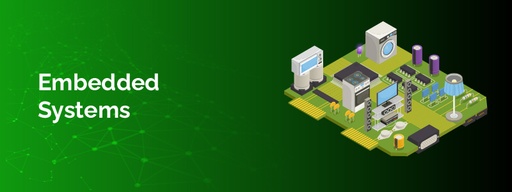
Dissect Embedded Systems and identify it’s various components. Enjoy building your very own simulation circuits.
What You Will Learn
- Important components of an embedded system
- How simulation circuits are created on Tinkercad platform
Embedded systems are at the heart of many different products, machines, and intelligent operations, such as machine learning and artificial intelligence applications. As embedded systems applications appear in every industry and sector today, embedded devices and software play a crucial role in the functioning of cars, home appliances, medical devices, and other equipment we use in our daily lives. Embedded Systems have brought about a revolution in science.
As a part of this program, you will be using Tinkercad to learn how to design and simulate the circuit of an Embedded system.
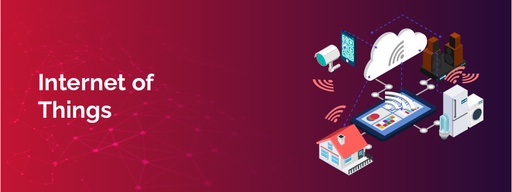
Today, we can remotely turn on the AC to cool our house or shut an industrial device when it crosses a certain threshold without being in the physical proximity of the device. The devices can communicate with the user or with each other over the internet. This network of interconnected smart devices and technology is referred to as the Internet of Things (IoT). In this course, we will learn how IoT connects the physical objects with the virtual world.
What You Will Learn:
How mobile app works, and the important steps involved in an app development process
Design your own mobile app using Thunkable platform
Course Description: Mobile applications have become an indispensable part of our everyday lives. We can shop, book flights, transfer money, etc. with a click of a button through the apps installed on our phones or devices. With the widespread demand for mobile apps, the requirement for developing these apps is also on the rise. Mobile Application Development (MAD) is a software development process that helps you build and design applications for mobile devices such as smartphones, tablets, etc using features such as GPS, Camera, and other functions for better performance.
Every day we browse websites on our desktops or mobile devices to access information. A website’s layout and appearance are based on the content it wants to display for the intended user. Web designing allows you to build a visual and functional experience for a user that visits your website. The aesthetics of the website - the appearance, layout, feel, etc fall under the umbrella of Web Design.
What You Will Learn:
- How a website works, and the important elements required to design a website
- Design your own website using a no-code platform called Weebly